
When building apps, there are many situations where you need to temporarily disable the interaction of a widget. For example, a button should stop working during an API call, or a dropdown should be disabled based on a condition. Flutter provides a simple solution for this: the IgnorePointer widget.
What Is the IgnorePointer Widget?
The IgnorePointer widget is used to disable the click or touch interaction of any widget placed inside it.
It works using a simple property:
- ignoring: false → the widget will respond to user interaction
- ignoring: true → the widget will not respond to any taps, clicks, or gestures
The important point is that IgnorePointer does not change how the widget looks.
It only blocks the gestures. The widget still appears on the screen normally.
When Should You Use IgnorePointer?
You should use IgnorePointer when:
- You want to disable a widget conditionally
- A widget should not be clickable while loading or processing
- You want to prevent interaction without changing the widget’s UI
- You need a quick, clean way to enable/disable any UI element
A common real-world example is:
If a client says, “During this condition, the widget should be disabled”,
then wrapping that widget with IgnorePointer is the simplest solution.
Code:
import 'package:flutter/material.dart';

class IgnorePointerExample extends StatefulWidget {
  const IgnorePointerExample({super.key});

  @override
  State<IgnorePointerExample> createState() => _IgnorePointerExampleState();
}

class _IgnorePointerExampleState extends State<IgnorePointerExample> {
  final fruitList = ["Apple", "Mango", "Banana"];
  String selectedFruit = "Apple";

  @override
  Widget build(BuildContext context) {
    return Scaffold(
      backgroundColor: Colors.grey,
      body: SafeArea(
        child: SizedBox(
          width: double.infinity,
          child: Column(
            mainAxisAlignment: MainAxisAlignment.center,
            crossAxisAlignment: CrossAxisAlignment.center,
            children: [
              IgnorePointer(
                ignoring: false,
                child: Container(
                  width: MediaQuery.of(context).size.width / 2,
                  padding: const EdgeInsets.symmetric(horizontal: 12),
                  decoration: BoxDecoration(
                    color: Colors.white,
                    borderRadius: BorderRadius.circular(12),
                  ),
                  child: DropdownButton<String>(
                    isExpanded: true,
                    value: selectedFruit,
                    underline: const SizedBox.shrink(),
                    borderRadius: BorderRadius.circular(12),
                    items: fruitList.map((fruits) {
                      return DropdownMenuItem<String>(
                        value: fruits,
                        child: Text(fruits),
                      );
                    }).toList(),
                    onChanged: (value) {
                      if (value != null) {
                        setState(() {
                          selectedFruit = value;
                        });
                      }
                    },
                  ),
                ),
              ),
              SizedBox(height: 20),
              IgnorePointer(
                ignoring: true,
                child: ElevatedButton(
                  onPressed: () {
                    ScaffoldMessenger.of(
                      context,
                    ).showSnackBar(SnackBar(content: Text('Button Clicked')));
                  },
                  child: Text('Click Here'),
                ),
              ),
            ],
          ),
        ),
      ),
    );
  }
}
Output:
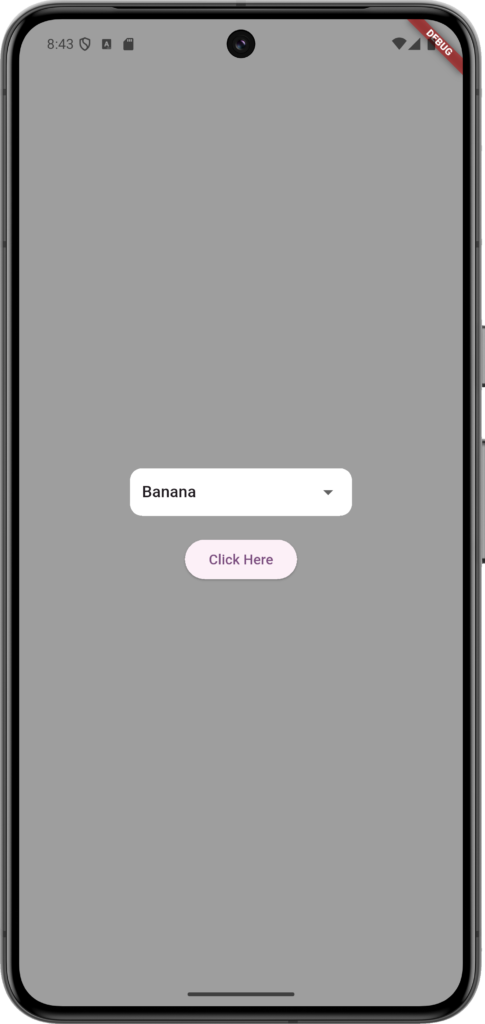
Conclusion:
The IgnorePointer widget is a simple yet powerful tool in Flutter.
It helps you control user interaction without modifying the design of the widget.
Whenever you need to disable a button, dropdown, or any UI element based on a condition, IgnorePointer is one of the cleanest ways to achieve it.